3D design simulator
Distribution Designer Simulator
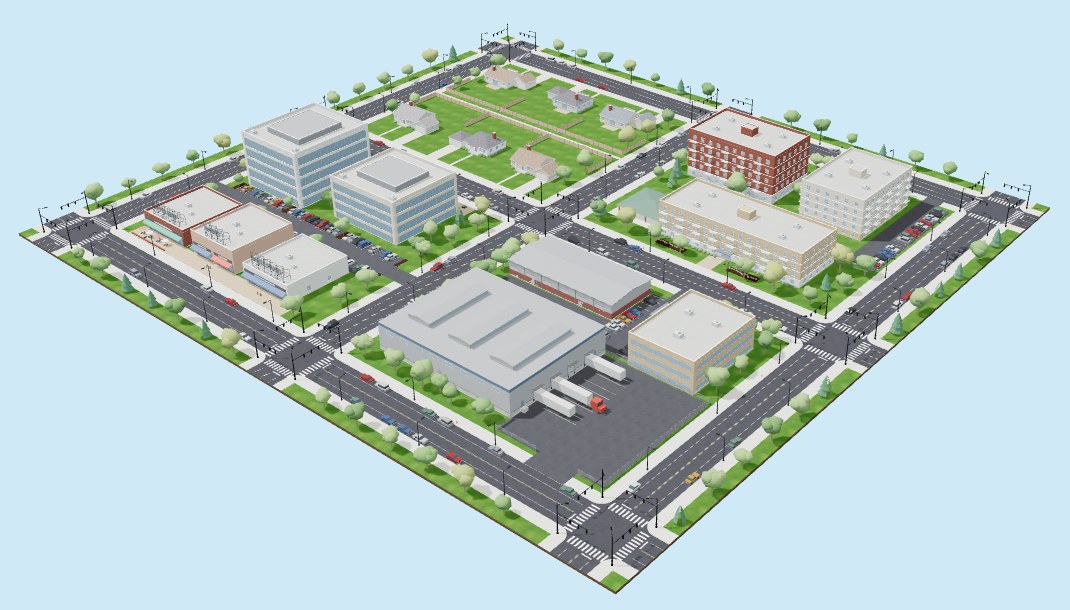
Build an underground and overhead distribution system in a four-block 3D neighborhood. The simulator checks your design as you work, and buildings, streetlights, and traffic signals come on when their whole path from a supply source passes. Included with every license.
What you can do
Practice the decisions designers make every day
Cabinets to service
Place switching cabinets, padmount transformers, pull boxes, and service entrances, then connect them with trenches and conduits — conductor lanes included.
Poles and spans
Set poles, frame them, and string spans with sag. Add streetlights and traffic signals to the circuit.
Know as you go
Connectivity, protection, loading, and voltage drop are checked as you design. When a building's whole path from the source passes, it lights up.
One-line and printed set
Generate the single-line diagram and a printable drawing set — the same pieces you'll use for your sketch and package.
Real starting files
Each course gives you starting files for a residential and a commercial project. Save your designs as files on your own device and pick up where you left off.
3D and plan view
Switch between a 3D view of the neighborhood and a plan view for precise layout, with a guided tour the first time you open it.
Try it now · No account needed
Take the interactive tour
This is the same practice version of the simulator our students use in Lesson 10.1. Click any button, panel, or piece of equipment to see what it does and why a designer uses it. It's a guided tour of the controls, not the full simulator — the real one, with live checks and the 3D city, is included with every license.
Best on a computer or tablet. On a phone, use “Open full screen” and turn your device sideways.
Requirements
Runs in your browser — on a computer or an iPad
Nothing to install. Tablets are the reference device.
- Current Chrome, Edge, Safari (including iPad), or Firefox with WebGL 2
- An internet connection to load the simulator (about 3 MB)
- Open it from your dashboard, in its own tab beside your lesson
- Saving straight back to a file works best in Chrome and Edge
Included with every license.
Choose Underground, Overhead, or the Complete Program.